Welcome
to the playtest
Today you will participate in a closed playtest session of a technical prototype
of a yet-to-be-announced game.
Our game is a multiplayer session fast-paced shooter on ground vehicles in the world of bright, rich, retrofuturistic alternative history of the early 20s of the 20th century!
You will play in teams of 2 players against other teams!
In total, you will have 4 fights, up to 20 minutes each battle!
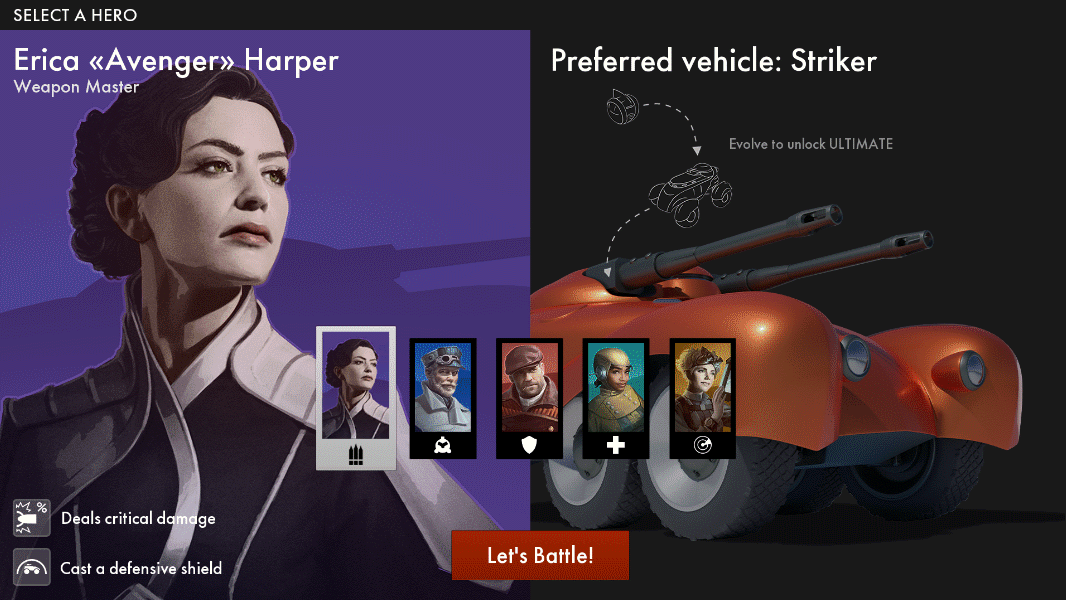
HEROES!
are available.
1. Avenger is capable of doing tremendous damage and protecting herself with a shield in case of emergency.
2. Operator uses drones and gun turrets to attack enemies
from protective positions
3. Golem drives the sturdiest vehicles and can restore HP by using components from destroyed enemy vehicles.
4. Mechanic brings allies back to the battlefield faster than any other Hero. She can also revive herself by spending Materials.
5. Seeker drives the fastest vehicles. She can see enemies behind obstacles.
Video instruction
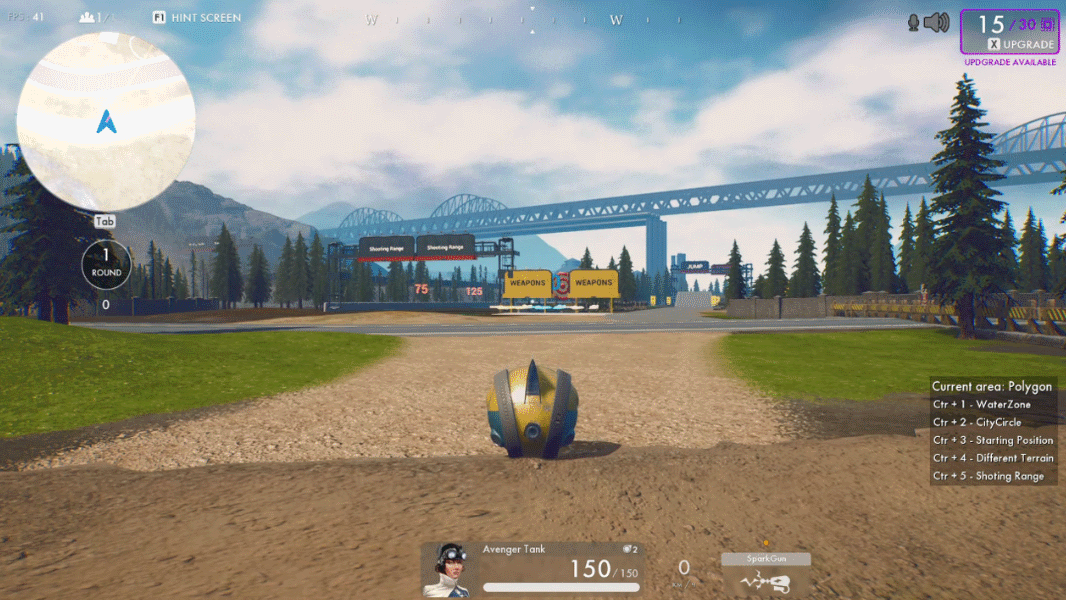
CAPSULE & BUGGY!
Capsules are starting vehicles.
They're very mobile and allow you to get away from the enemy quickly, but they aren't fit for real battles.
That's why your first objective is to get a buggy hull.
Buggies are hulls of light battle vehicles.
In a buggy, you can play and fight.
How to get buggy:
1. X menu, 15 materials.
2. Collect from the red boxes.
Control:
Move: WASD.
Handbrake: space.
Fire: LMB. .
Video instruction
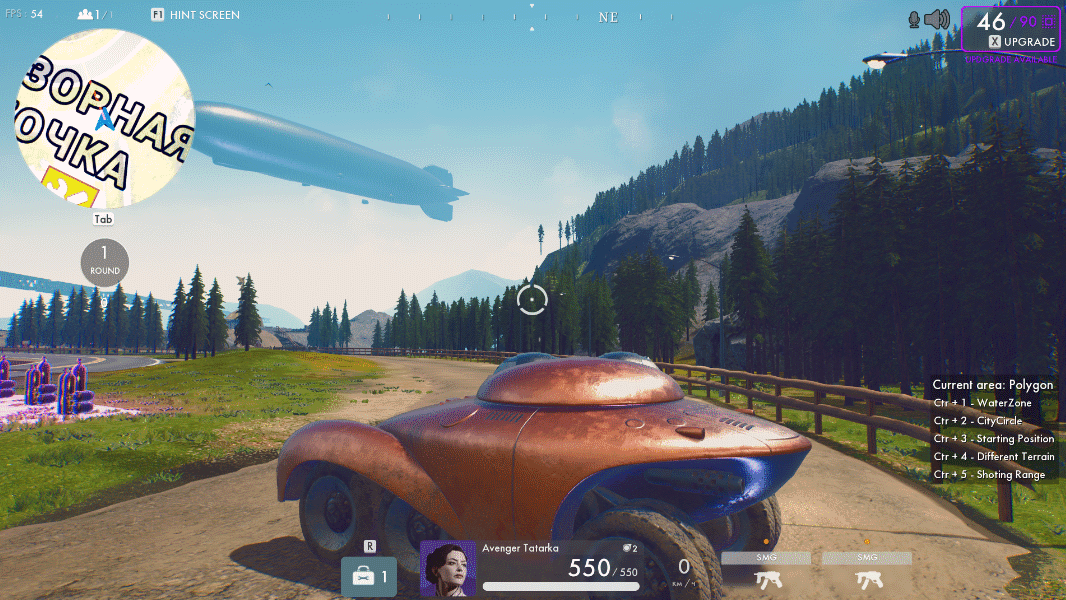
CLASS HULLS AND HEROES!
Each hull is unique and has its built-in abilities
(if they're not automatic, then you can activate them by Q).
To get an ultimate ability (Y) and built-in abilities, find your Hero's preferable vehicle or upgrade to it.
You can get class hulls from purple loot or buy for 75 Materials
at Tech station or from destroyed enemies.
To get hull from destroyed enemy, drive up to it and hold E.
Get an ultimate ability in the X menu for 20 Materials!
Video instruction
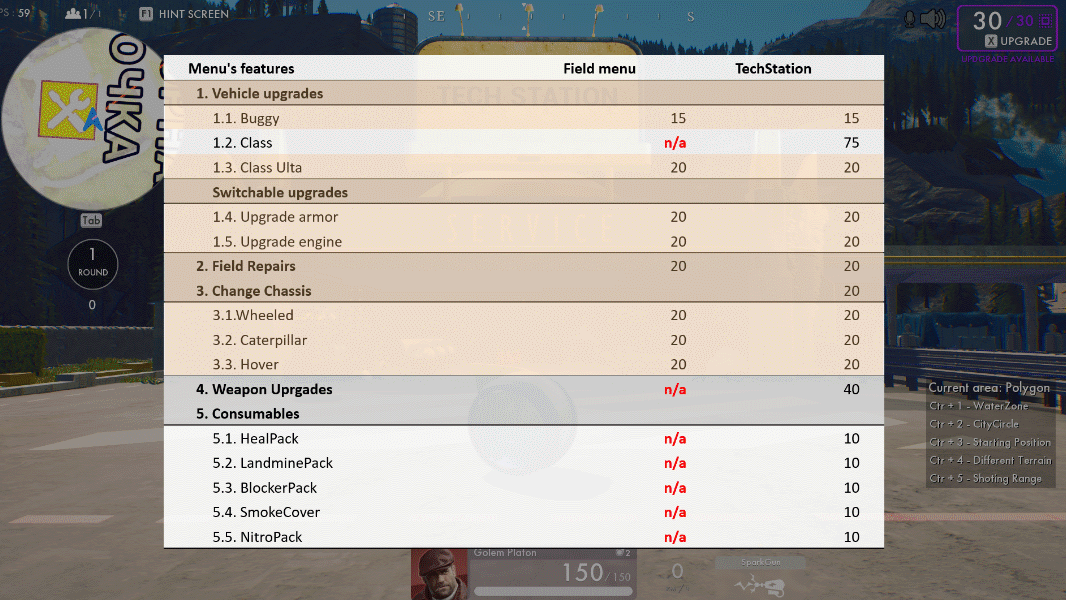
X MENU AND TECH STATIONS!
1. Upgrade from a Capsule to a buggy;
2. Get an ultimate if you're driving a class hull;
3. Upgrade and restore HP;
4. Upgrade your engine or armor;
5. Change your chassis.
Use the menu at Tech Stations (X or hold E) for advanced vehicle upgrades.
Upgrading to class hulls, enhancing weapons, and buying consumables are possible only at Tech Stations.
Available upgrades are marked with green.
Video instruction
Task 1
1. Minimize the active window (WIN + D).
2. Launch the prototype icon on the Desktop.
3. Click "Training grounds"
4. Select the Hero Mechanic.
5. Ride a Capsule.
6. Find Materials in Zone A and upgrade to a buggy in the X menu.
7. Collect 75 more Materials, find a Tech Station in Zone A, and upgrade to a class hull.
8. Get an ultimate ability in the X menu for 20 Materials.
9. Come back to continue the tutorial (Alt + Tab).
Video instruction

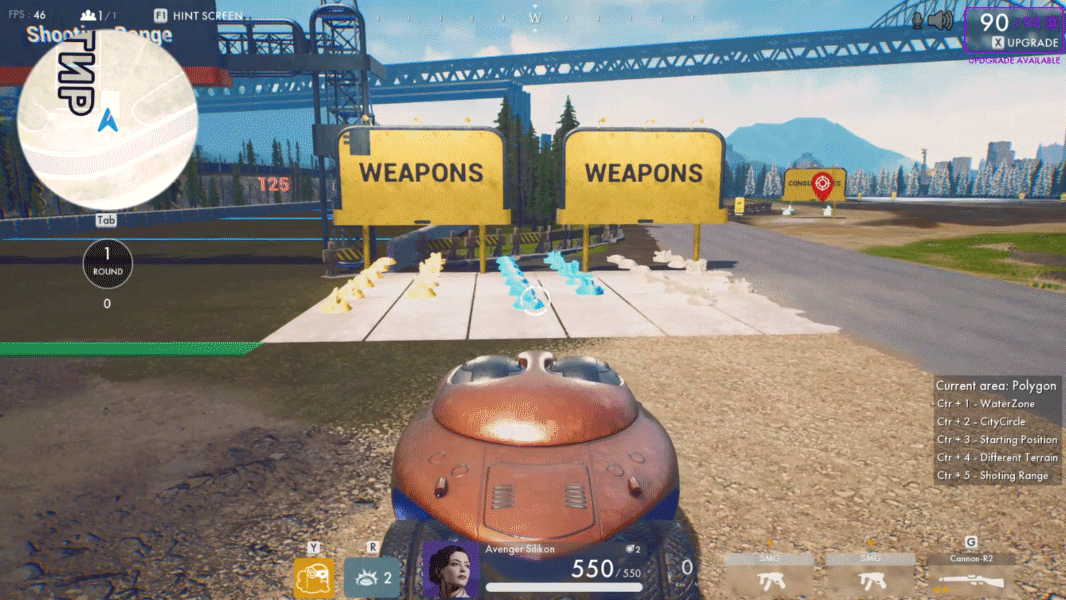
WEAPONS!
1. Gray — basic level.
2. Blue — increases firing rate.
3. Gold — increases power even further and grants a perk that is unique for each weapon.
Upgrade the weapons at Tech Stations or pick it up from blue drop crates and hulls of destroyed enemies.
Control:
Pick up weapon: hold E.
Switch between weapons: G.
Sniper mode: F or mouse wheel up.
Video instruction
Task 2
1. Go to the game (Alt + Tab).
2. Find and pick up a blue weapon that you like in Zone B.
3. Сhange weapon by G.
4. Destroy a bot using different types of guns.
5. Upgrade your weapon at the Tach station in Zone A for 20 materials.
6. Come back to continue the tutorial.
Video instruction

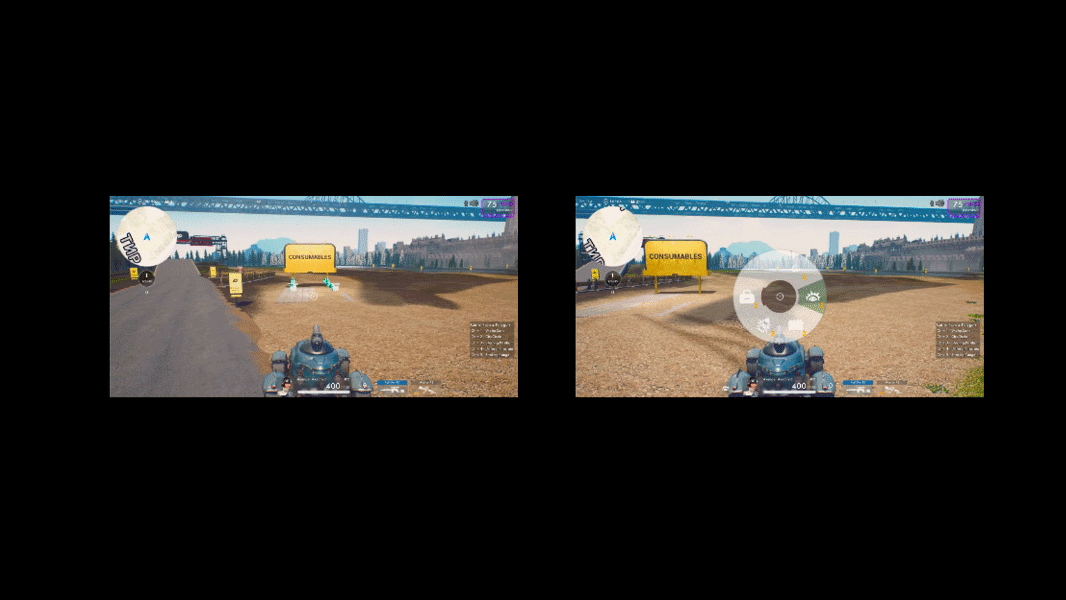
CONSUMABLES!
1. First Aid Kit — slowly restores hit points of your vehicle.
2. Nitro — boosts up speed temporarily.
3. Fence — creates a temporary power shield with limited HP.
4. Landmine — explodes on enemies.
5. Smoke screen — conceals your vehicle and protects it from drones.
Picking up of consumables happens automatically.
Consumables are marked with green.
You can have 5 consumables of each type.
Control:
To activate the selected consumable: R.
Change consumable: hold R.
Video instruction
Task 3
1. Go to the game client (Alt + Tab).
2. Find and pick up consumables in Zone B.
3. Use a consumable — R.
4. Change a consumable — hold R.
5. Use all consumables one by one.
6. Come back to continue the tutorial.
Video instruction

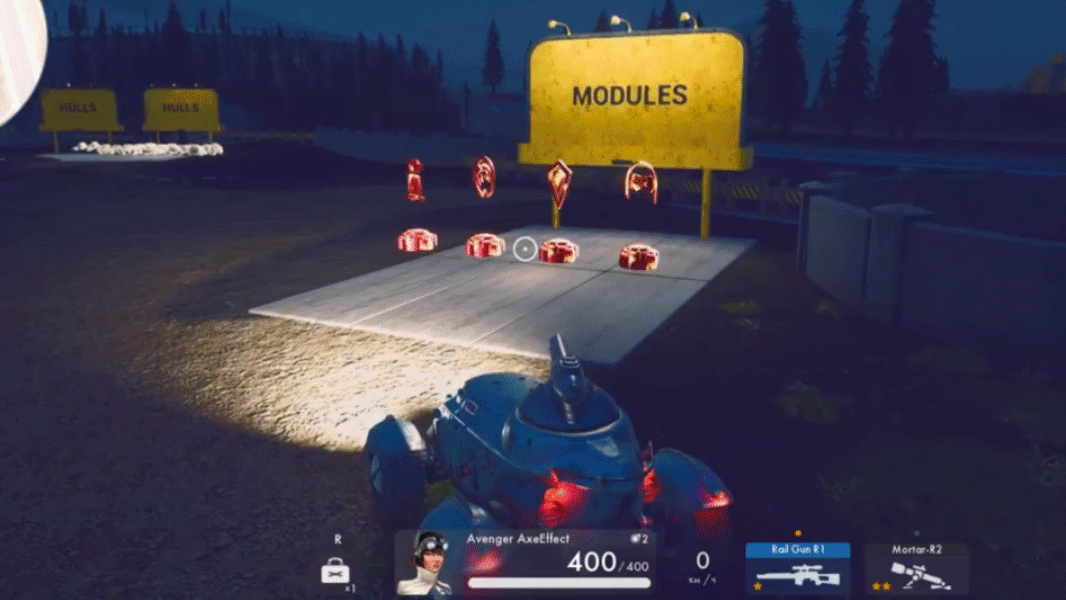
MODULES!
If it's empty, the module will be installed automatically.
Types of modules:
1. Gun turret — attacks enemies.
2. Radar — detects nearby enemies.
3. Shield — blocks damage temporarily.
4. Invisibility — makes the hull of your vehicle almost invisible,
which allows you to sneak up on your opponents.
To change a module, find the one you'd like to install and hold E.
Activate it after a cooldown by T.
Video instruction
Task 4
1. Go to the game client (Alt + Tab).
2. Find and pick up a module in Zone C.
3. Try out using modules one by one by pressing T.
4. Come back to continue the tutorial.
Video instruction

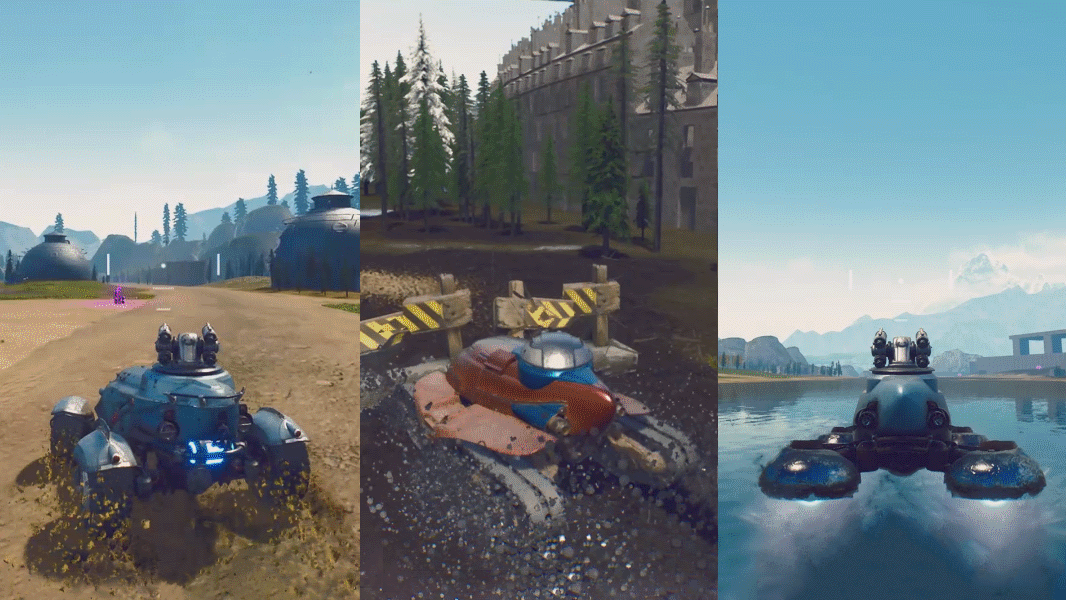
CHASSIS!
1. A hover allows you to fly over water and move sideways.
It's handling doesn't depend on a surface.
2. Caterpillar move at a medium speed. They're durable and can traverse any type of terrain. If you're in a caterpillar vehicle, you can control it on any surface and keep nearly the same speed when going through destroyable objects.
3. Wheels — the fastest and most maneuverable type of chassis.
They are good for catching up with the enemy or avoiding attacks.
Change chassis — X menu,
Cost—20 Materials.
Video instruction
Task 5
1. Go to the game client (Alt + Tab).
2. Find the platform with hulls of Mechanic hero with different chassis in Zone C.
3. Install a hover chassis and fly over water.
4. Install tracks and drive on ice.
5. Install a wheeled chassis and feel the speed.
6. Come back to continue the tutorial.
To change chassis — X menu, section 3.
Video instruction

HIT POINTS!
When your vehicle is hit, it's HP goes down.
After there's no HP left, the vehicle becomes shot down but not entirely destroyed yet.
The vehicle can be in the shot-down state for a limited time and be destroyed for good.
Enemies can destroy a shot-down vehicle, and your allies can restore it.
Control:
To evacuate from a shot-down vehicle in a Capsule — SPACE button.
To restore an allied vehicle, drive up close to it and hold E.
Video instruction
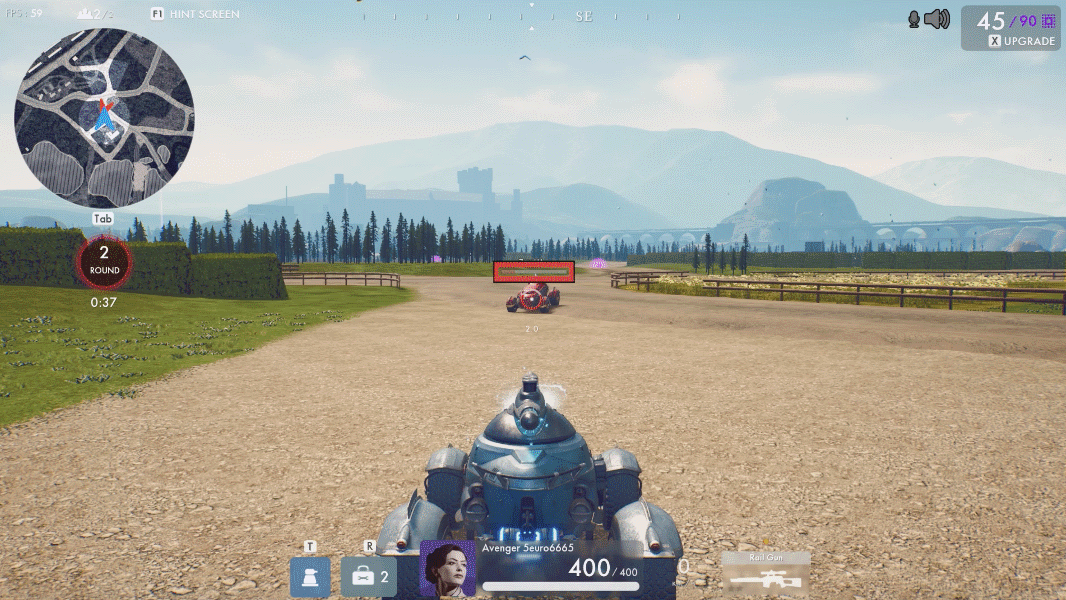
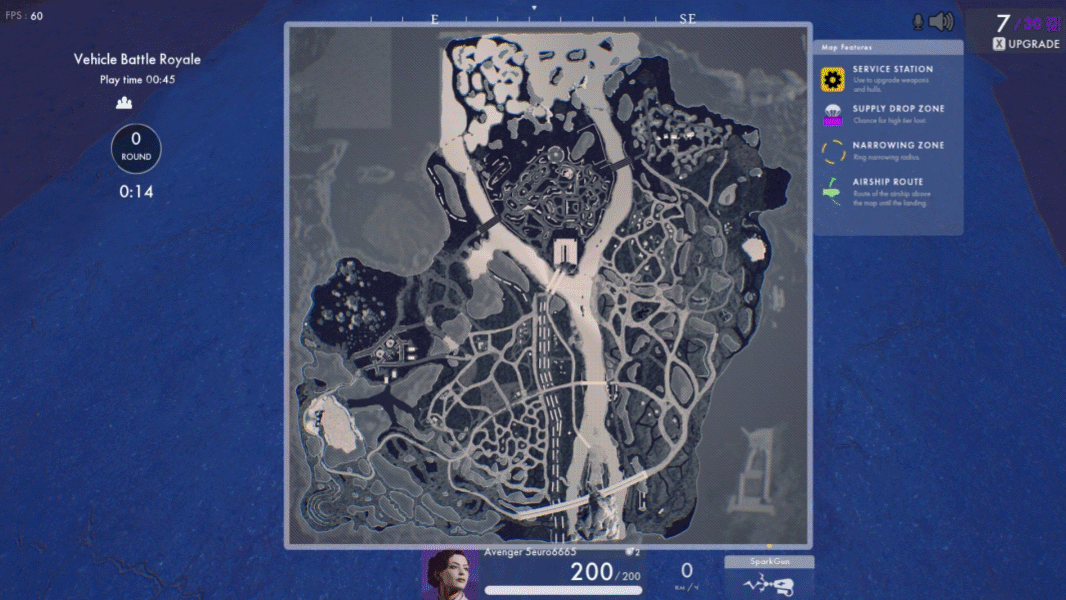
MAP!
To find you way on the battlefield, use the maximap (Tab).
The main symbols on the map:
1. Tech Stations for servicing and upgrading vehicles
2. Loot delivery points
3. Loot collection points
4. Your position and positions of your co-player and opponents
5. Boundaries of the dome
Loots provide you ability upgrade your vehicle faster.
They contain hulls, materials, consumables, and modules.
Purple boxes are especially valuable!
Video instruction
TEAM TACTICS!
1. Voice chat:
a. C: on/off
b. Shift – / Shift +: voice chat volume
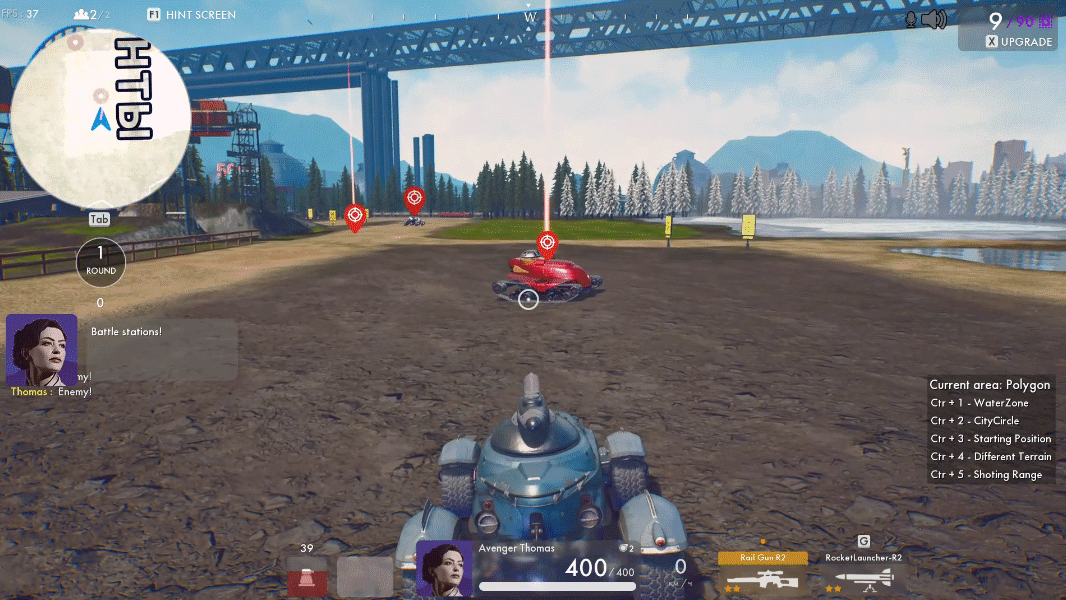
2. Pins—marks on the map for your co-player (RMB):
a. mark an opponent
b. mark a place on the map
c. mark resources
3. Volume of the game:
a. – / + on numeric pad: volume of the game
Video instruction
To Battle!
So, we're going to play a multiplayer session of fast-past shooter ground vehicles in the world
of bright, rich, retrofuturistic alternative history of the early 20s of the 20th century!
You will play in teams of 2 players against other teams!
Now wait, please, when all finish training and a moderator give you instructions
on starting a game in combat mode.
You can look through the instructions again now and between fights.